
TL;DR — On January 28, 2026, Framer shipped Plugins 3.10: CMS — a developer-focused drop led by
createManagedCollection, so plugin authors can create and manage CMS collections reliably across all modes. The same release improves CSV Import (mapping, collection creation, DateTime support), addssetCloseWarninganddisplayTimeon date fields, and patches Ashby, HubSpot, Workshop, and other marketplace plugins teams already run in production.
This yoframer article lives at /framer-updates/framer-plugins-3-10-cms-managed-collections-update/ and translates Framer’s Plugins 3.10 notes for agencies, plugin makers, and CMS-heavy site owners — what to upgrade, what to test before client handoff, and which remix-friendly templates give you realistic collections to sync against.
Plugins 3.10 CMS at a glance
| Area | What Framer shipped | Why it matters |
|---|---|---|
| Managed collections | createManagedCollection API | Cleaner plugin-owned CMS sync without mode-specific hacks |
| Safety | setCloseWarning() | Fewer accidental closes during imports or long syncs |
| Fields | displayTime on date fields | Editorial teams see time, not only calendar dates |
| Collections API | createCollection works across modes | Less “works in canvas, breaks in CMS” drift |
| CSV Import | Mapping, collection creation, DateTime | Faster migrations into Framer CMS |
| Integrations | Ashby, HubSpot, Workshop, Sheets, Notion fixes | Production plugins behave better on real client stacks |
What Plugins 3.10 changes for authors
1. createManagedCollection — the headline API
Framer positions managed collections as the reliable path when a plugin owns the CMS schema and row sync — think Notion pull, Sheets sync, or a custom operations dashboard. Before this API, authors often stitched together collection creation calls that behaved differently depending on where the plugin surfaced. createManagedCollection is Framer’s answer: one creation path that holds up across modes so workflows keep moving without extra setup.
If you maintain a private agency plugin, audit your collection bootstrap code first. This is the release that rewards deleting defensive branches.
2. setCloseWarning and displayTime — small APIs, loud UX wins
setCloseWarning lets plugins warn users before closing mid-job — the same class of fix Framer extended to CSV Import, Notion, and Google Sheets (warning on close during active work). displayTime on date fields helps editorial surfaces that schedule posts or events with a time component, not only a day bucket.
Neither API is glamorous, but both reduce support tickets — the kind clients describe as “the plugin ate my import.”
3. Marketplace plugin fixes you may already depend on
Framer’s changelog calls out practical integration work:
- Ashby — multiple secondary locations via collection references.
- CSV Import — mapping, collection creation, DateTime support.
- HubSpot — authentication redirect fixes for smoother sign-in.
- Workshop — respects external changes and manual edits cleanly.
Even if you never ship a plugin, your stack might include one of these. Schedule a smoke test on staging after you bump Framer.
4. General stability Framer bundled in the same drop
The General section also notes createCollection working consistently across modes, YouTube embed crash fixes in Rich Text, and Safari context menu layout fixes when Search is enabled. Treat those as permission to close old browser-specific bug tickets in your internal tracker.
How Plugins 3.10 fits the CMS story
CMS 3.0 (April 2026) redesigned how humans edit rows. Plugins 3.10 (January 2026) strengthens how code and integrations feed those rows — an earlier chapter in the same arc. When CMS Plugins arrived later, Framer focused on sidebar discovery and overlay Save ergonomics for editors.
Read them together: APIs for builders, table UX for editors, sidebar polish for everyone.
Try Plugins 3.10 in your plugin project
- Open a staging project with CMS collections — not production first.
- Read Framer’s
createManagedCollectionreference and compare it to your current bootstrap. - If you ship imports, enable
setCloseWarningon long-running tasks and verify the warning copy with a non-technical tester. - Run CSV Import against a 50-row sample with DateTime columns — confirm cells land in the table without manual repair.
- Cross-check Framer’s developer changelog for the exact v3.10.2 / v3.10.3 version lines if you pin SDK versions in CI.
Three workflow recipes for Plugins 3.10
Greenfield managed collection sync
You are shipping a plugin that owns a jobs board collection and syncs nightly from a headless API.
- Prototype createManagedCollection on a throwaway Framer file with two fields and ten rows.
- Log collection IDs on create so support can trace client projects without opening the editor.
- Document which plugin modes you support in README — canvas-only vs CMS sidebar vs both.
CSV migration weekend with DateTime
An agency is moving a WordPress export into Framer CMS before launch Monday.
- Map columns in CSV Import using the new mapping UI Framer highlights in this release.
- Include a DateTime column in the test CSV even if launch content is date-only — catch timezone surprises early.
- Keep the import tab open until the close warning confirms the job finished — do not Cmd+W through it.
Client handoff with integration smoke tests
The site uses HubSpot forms sync plus Workshop content — the client is non-technical.
- Re-authenticate HubSpot on staging after the redirect fix Framer documents.
- Edit a Workshop-backed row manually, then run a plugin sync — confirm external edits are respected.
- Add a one-page “plugin health” doc listing installed marketplace plugins and last verified date.
Framer templates for CMS-heavy plugin tests
 Live Preview
Revior · SaaS marketing with a CMS blog
by OneFramer
Revior gives you CMS blog rows and marketing sections in one remix — useful when you want to prove createManagedCollection against content shapes clients actually publish.
- Best for
- Plugin authors who need a realistic blog collection without inventing schema from scratch
 Live Preview
BotFlow · AI SaaS with FAQs and integrations
by Salim
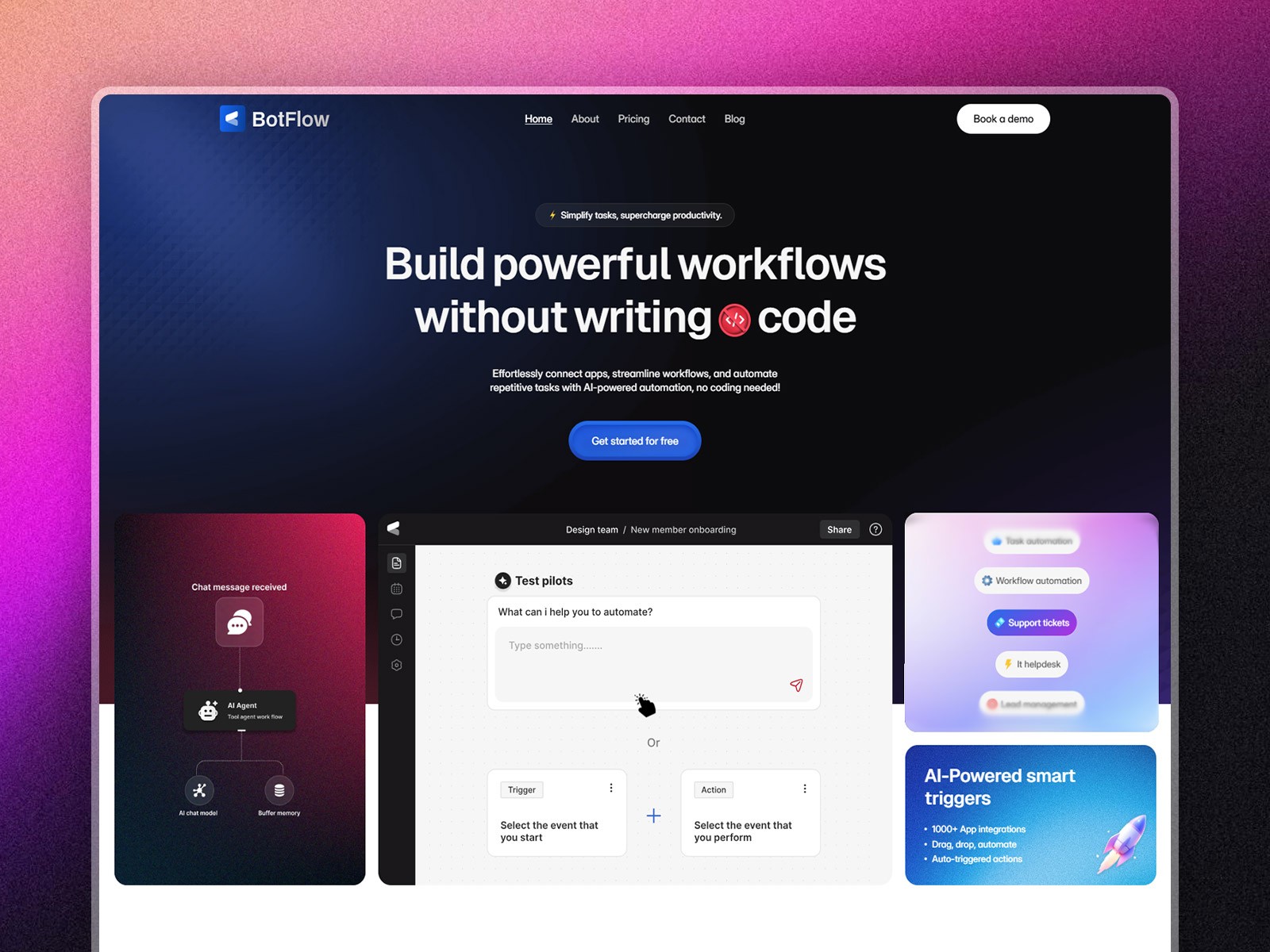
Botflow pairs FAQs with integrations and blog collections — a credible sandbox for CSV Import and third-party sync plugins before you touch a paid client file.
- Best for
- Teams testing plugin sidebar behavior next to dense FAQ and blog collections
 Live Preview
Bizent · Multi-collection corporate site
by OneFramer
Bizent’s multi-collection layout mirrors messy real-world sites where plugins must not break when editors jump between services, team, and blog collections.
- Best for
- Agencies that need several CMS surfaces in one project
Need more CMS-first starters? Browse the template directory or our best free SaaS Framer templates in 2026 roundup.
Official Framer resources worth bookmarking
- Plugins 3.10: CMS release notes — canonical feature list for this drop (January 28, 2026).
- Framer developers changelog — versioned API history including v3.10.2 and v3.10.3 entries.
- createManagedCollection reference — API docs for the headline method.
- Framer plugin marketplace — browse integrations affected by this release.
- All Framer updates — platform releases including CMS 3.0 coverage on yoframer.
More reading on yoframer
- Framer updates hub — all editorial release write-ups.
- Framer CMS 3.0 deep dive — inline table editing, folders, and filters.
- Framer CMS Plugins — sidebar plugin view and overlay Save fixes.
- Submit a template or tool — if you ship a plugin that shines with managed collections, tell us.
The bottom line
Plugins 3.10 is Framer investing in the CMS integration layer — createManagedCollection for authors, CSV Import upgrades for migrations, and setCloseWarning for safer long jobs. If you only run marketplace plugins, still run staging smoke tests; if you write plugins, treat this as a refactor release worth scheduling before your next client launch.