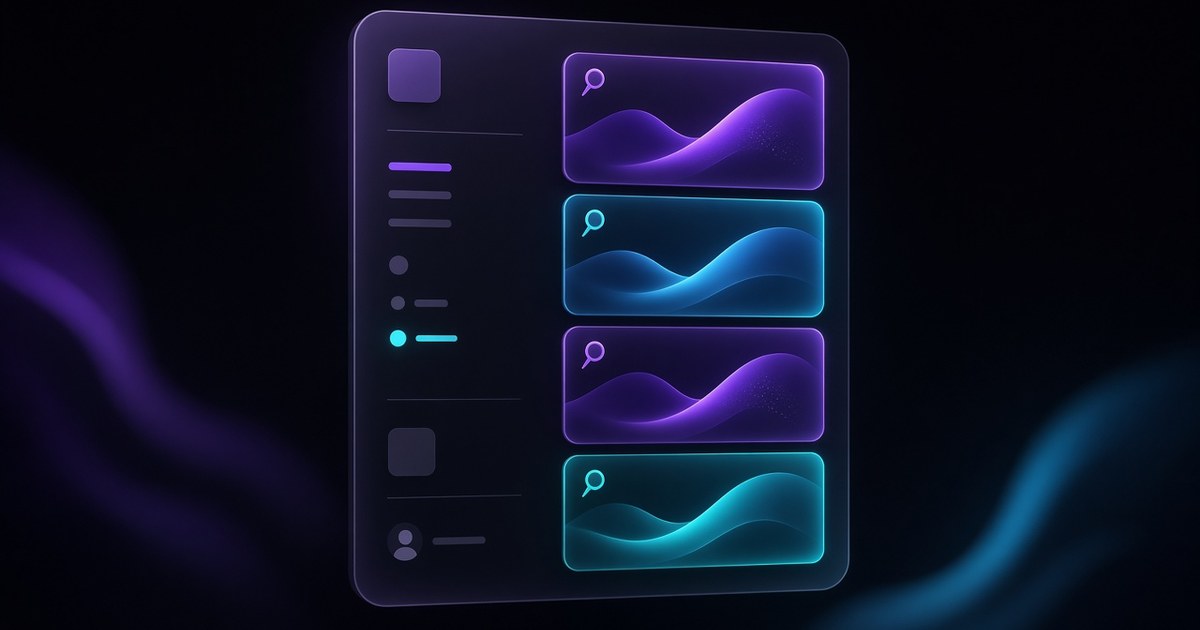
TL;DR — On September 22, 2026, Framer shipped Agent Skills: reusable instructions that teach the in-app Agent how your team works. Save rules for design systems, writing tone, or CMS workflows, reference
@pages,@components, and@stylesso output follows the file you already have, and invoke Skills with/skillsor slash names like/design-system. Skills travel with the project on remix, which makes them especially useful for template authors who want remixers to add pages without drifting off-brand.
Framer’s announcement is short; this yoframer guide adds when Skills beat one-off prompts, how to capture a skill after a good Agent session, and which free Framer templates give you enough components and CMS structure to stress-test Skills on real client-shaped files.
Framer Agent Skills at a glance
| Area | Ad-hoc Agent chat | Agent Skills (September 22, 2026) |
|---|---|---|
| Instructions | Re-type standards every session | Saved skills with title, description, and rules body |
| Invocation | Long natural-language prompts | /skills plus named slash skills (e.g. /design-system) |
| Context | Easy to miss existing styles | @pages, @components, @styles references in-project |
| Remix | Guidance lives in chat history | Skills stay in the project file for marketplace templates |
| Control | Agent proposes, you edit Canvas | Same, but repeatable standards reduce rework |
What’s new in Framer Agent Skills
1. Persistent instructions instead of prompt amnesia
Skills store when to use the skill, what to produce, and rules to follow (typography tokens, layout wrappers, CMS field conventions, SEO checks). That turns a great one-off Agent thread into something the next teammate can invoke without re-explaining your agency playbook.
2. Slash workflow: create, refine, capture
Framer’s recommended loop: run /skills to create or update a skill, do real work in Agent chat (layout pass, CMS batch, copy polish), then ask the Agent to capture decisions you want next time. Test by invoking the skill on a fresh task and tighten the rules if the Canvas output drifts.
3. Project references that respect what already exists
Referencing @pages, @components, and @styles nudges the Agent toward your hierarchy instead of spawning parallel text styles or rogue color tokens. You remain the editor on Canvas; Skills reduce cleanup after each generation pass.
4. Template-ready guidance on remix
Because Skills persist when someone remixes your template, creators can ship onboarding for new pages and CMS content inside the file. That pairs with Framer’s Skills product page demo, where /design-system builds a page that matches existing typography, spacing, and components.
How Framer Skills fit the Agents stack
Skills are the memory layer on top of capabilities Framer has been stacking all year:
- Branching and Community for safe Agent experiments before merge
- CMS List fields and CMS 3.1 quick-add rows for faster content modeling (Skills can encode how editors should fill those lists)
- Agents 3D Transforms and model updates for creative passes (Skills can cap when 3D is allowed on brand sites)
Think of Skills as guardrails: the Agent still moves fast, but repeated tasks snap back to your design system, voice, or CMS schema automatically.
How to create and use Framer Skills
- Open a project with real components, Text Styles, and layouts (empty files teach Skills little).
- In Agent chat, run
/skillsand ask for a skill that matches a task you repeat (new marketing page, blog batch, SEO sweep). - Draft title, description, and content rules. Framer’s Academy best practices suggest starting from tasks like design-system, cms-content, remove-ai-writing, or seo-check.
- Add
@pages,@components, or@stylesreferences where the Agent should mirror existing structure. - Invoke the skill in a prompt (e.g.
/design-systemto build a Careers page with CMS entries). - Review Canvas output, refine the skill text, and repeat on a branch if the change is client-facing.
Template authors: document at least one design-system skill and one cms-content skill before publishing, so remixers inherit your spacing, color, and collection conventions.
Three workflow recipes to try this week
Design-system page in one Agent pass
You run an agency retainer and every new landing page must reuse the client Base layout, color styles, and heading scale.
- Remix or open a file with Layout Templates, Text Styles, and shared components already wired.
- Create a design-system skill: dark/light rules, max-width wrapper, which Text/H styles map to heroes vs body.
- Prompt: "/design-system: build a Pricing refresh page using existing components only; set meta title and description."
- QA breakpoints, then capture any new rules (e.g. accent color once per section) back into the skill.
CMS content skill for editorial teams
Editors add blog posts weekly and the Agent should match tone, slug rules, and List-field FAQs.
- After [CMS List fields](https://www.framer.com/updates/cms-list-field), model FAQs or feature bullets as a List instead of Title 1, Title 2 duplicates.
- Write a cms-content skill: sentence case, paragraph width targets, banned filler phrases, required CMS fields.
- Ask the Agent to draft six posts into the Blog collection using @components for card layout references.
- Spot-check slugs and featured images in [CMS 3.0 table view](/framer-updates/framer-cms-3-update/) before publish.
Marketplace template with bundled Skills
You sell a free Framer template and want remixers to add pages without breaking your art direction.
- Finish the template components, Color Styles, and at least one Layout Template.
- Add Skills for design-system and seo-check; mention them in the template description on Framer.
- Publish to the marketplace, then remix your own file to verify Skills survived the remix.
- Point buyers to yoframer listing copy and [free Framer templates](/) if they want alternate shells to compare.
Who benefits most
- Agencies standardizing Agent output across designers on shared client systems
- Template creators shipping remix files with embedded onboarding
- Founders who want faster page drafts without rebuilding typography each time
- CMS-heavy teams pairing Skills with List fields and table editing
- SEO-minded builders running repeatable metadata and alt-text passes
Framer templates worth Skills experiments
These free Framer templates give Skills real @components and CMS hooks to reference. Weakness on each pick is honest so you know when to swap files.
 Live Preview
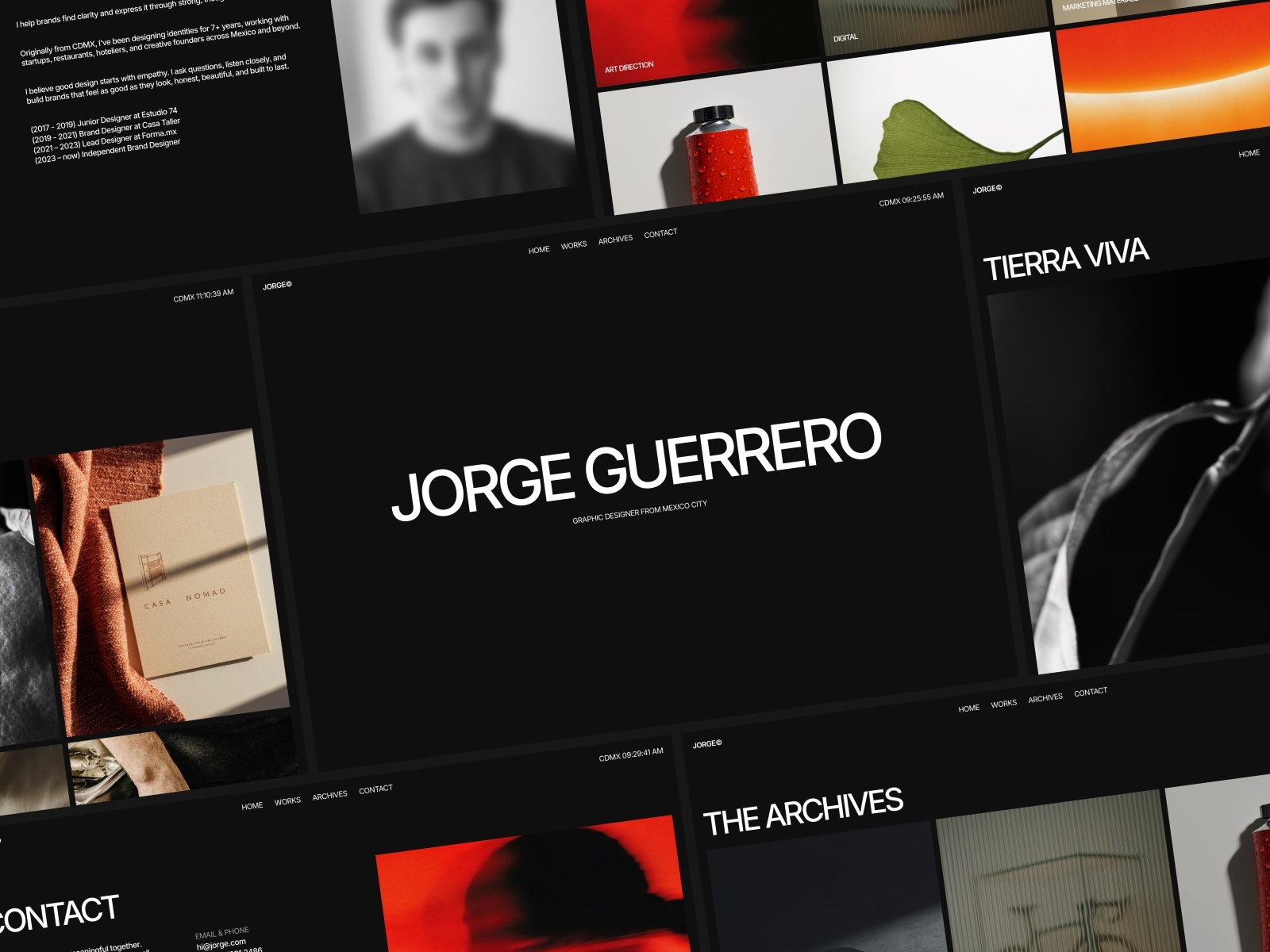
JORGE · Portfolio-grade type scale and section rhythm
by Ludovic Losco
Jorge is a editorial portfolio shell with clear heading hierarchy and generous whitespace. Use it when your first Skill enforces Text Style usage and hero vs body rules, because stray inline type shows up immediately. Weakness: it is not a multi-collection CMS hub, so pair it with a CMS-heavy remix for content Skills.
- Best for
- Testing a design-system skill against strong typography and repeatable section patterns
 Live Preview
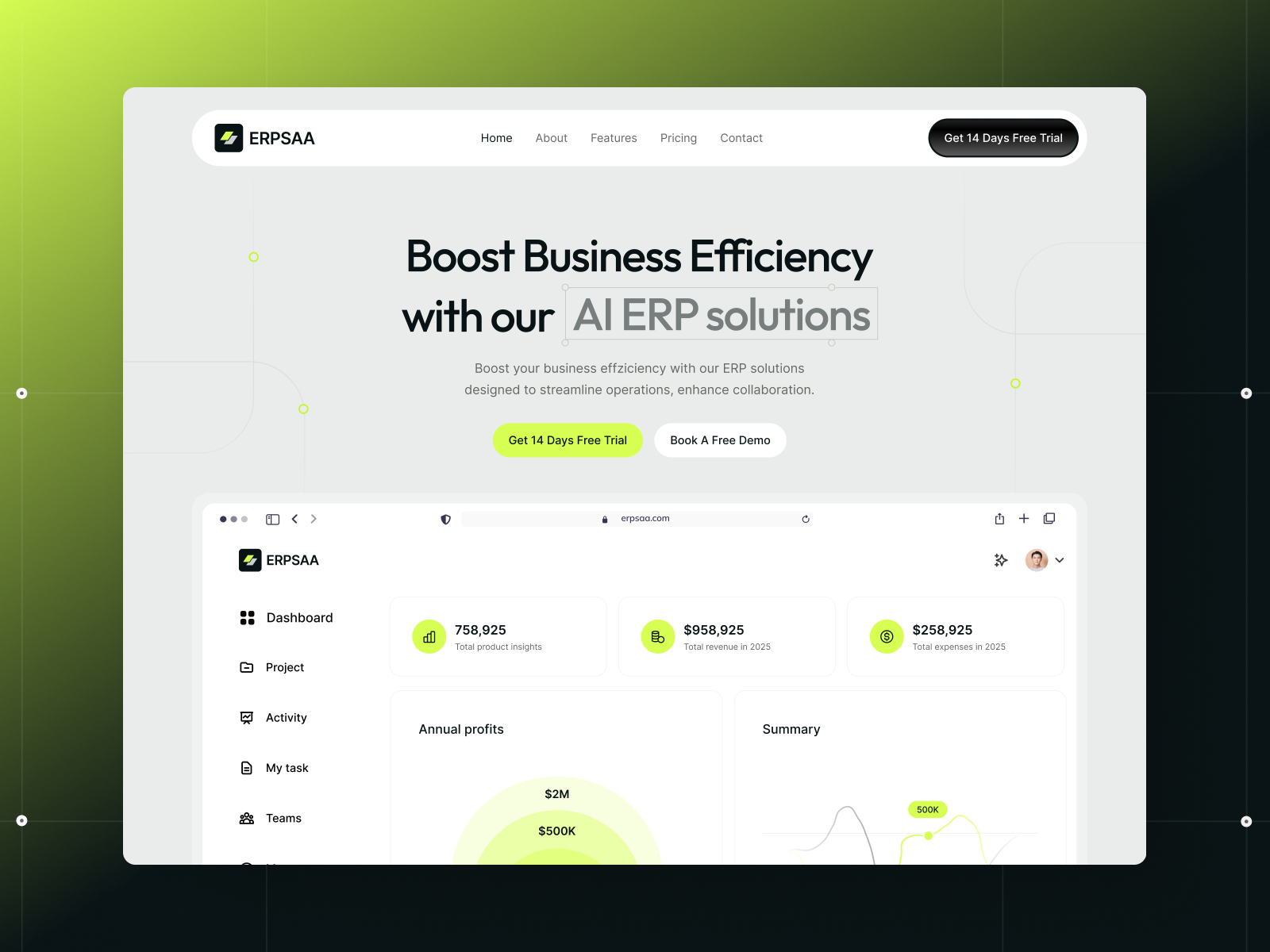
ERPSAA · Sixteen-route SaaS marketing file with CMS blog
by Gr8r
ERPSAA ships pricing, features, careers, integrations, and CMS blog routes. It is ideal for /design-system page adds and cms-content skills that must respect a wide sitemap. Weakness: the page count can overwhelm first-time remixers, so keep Skills focused on one collection at a time.
- Best for
- Teams who want Skills to reference many pages, components, and blog collections in one Agent session
 Live Preview
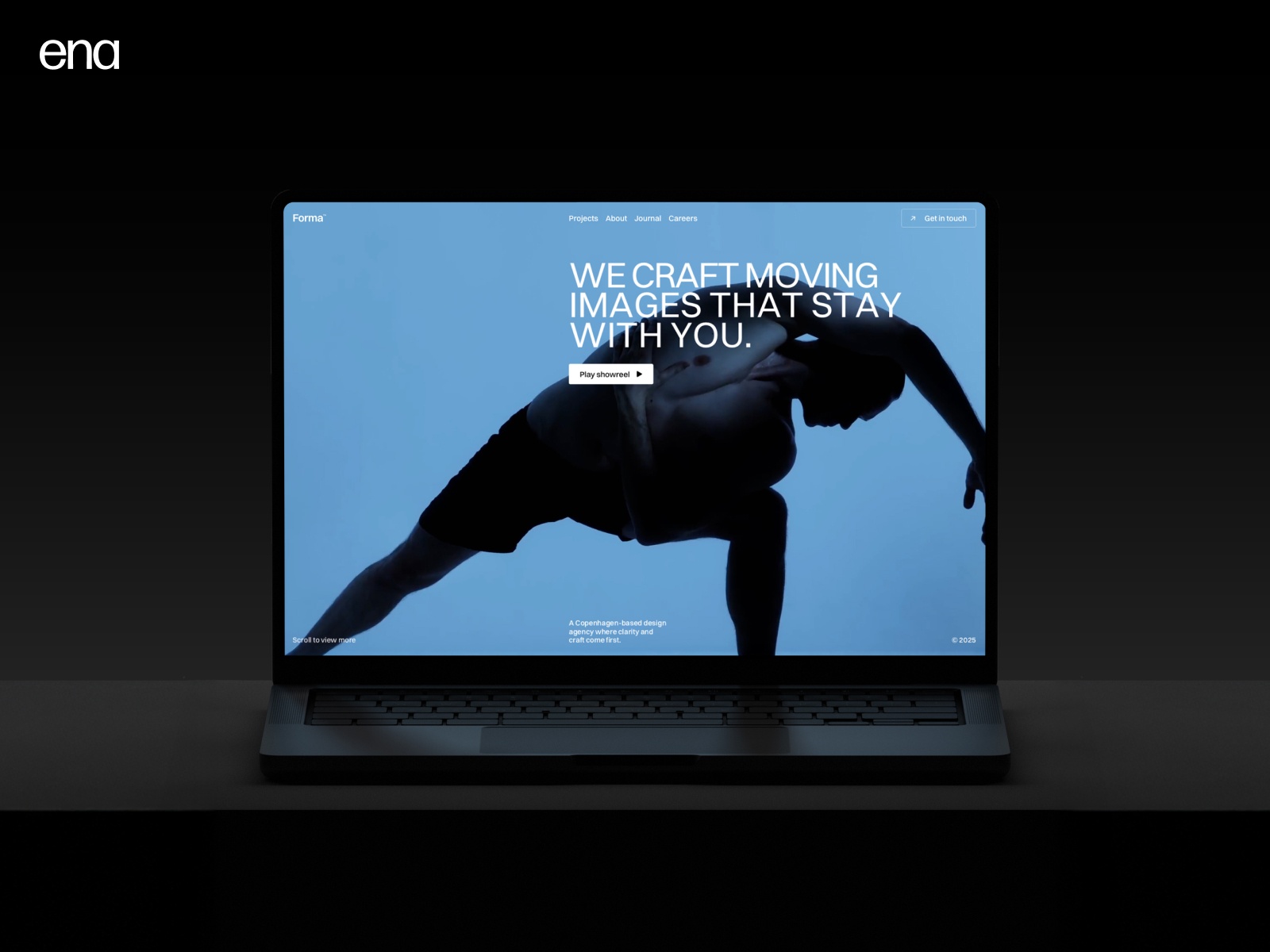
Forma Studio · Agency studio layout with case-study energy
by ena
Forma Studio reads like a creative agency marketing site, which makes it a believable sandbox for branch-first Agent edits plus Skills that lock accent usage and section width. Weakness: you may still retune imagery and copy for non-creative niches after the Skill pass.
- Best for
- Studios capturing Skills for client page types and component reuse on pitch sites
Browse the full grid on /templates/ or start from the free Framer templates hub if you want a different niche before authoring Skills.
Official Framer resources worth bookmarking
- Skills release notes: canonical September 22, 2026 announcement.
- Framer Skills product page: demo project, starter skill examples, and
/design-systemwalkthrough. - Skills best practices (Academy): how to write durable rules.
- Introducing Skills (blog): narrative context from Framer.
- Framer Agents: task patterns Skills plug into.
- All Framer updates: adjacent releases including Pinned Projects and CMS List fields.
More reading on yoframer
- Framer updates hub: editorial coverage of major Framer releases.
- Framer 3.0 Agents and Branching: branching workflow Skills should respect on client work.
- CMS 3.0 deep dive: table editing paired with cms-content Skills.
The bottom line
Framer Agent Skills turn repeated Agent instructions into project-local standards: create them with /skills, steer the Agent with @pages, @components, and @styles, and bundle them into templates so remixers inherit your design system. Start with one design-system skill on a branch, refine after you inspect Canvas output, then expand into CMS and SEO skills once the first pass stays on-brand.
Ready to try Skills on a structured file? Remix a free template on Framer or browse free Framer templates on yoframer, then open Agent chat and run /skills.