TL;DR — Framer’s February layout release puts Flow Effect inside Layout Templates so interaction-driven section animation — accordions in FAQ bands, nav reveals, component-triggered motion — can propagate across every page that shares the template. The same drop adds font previews in Text Styles and CMS, nicer default project titles, and a batch of truncation, overlay, and Windows shortcut fixes.
Framer published the update on February 20, 2026. This yoframer guide lives at /framer-updates/framer-flow-effect-layout-templates-update/ and translates Framer’s official post into decisions you can make on client work today — when template-level Flow beats page-local effects, how to brief accordions so they feel premium, and which remix-friendly templates already give you FAQ and multi-page structure to test against.
Flow Effect at a glance
| Lens | What shipped | Why it matters on client sites |
|---|---|---|
| Headline | Flow Effect on Layout Templates | One configured interaction pattern can drive shared chrome on every route — not re-wiring each page |
| Typical use | Accordions, nav bands, component-driven section motion | FAQ and docs sites get consistent expand/collapse without duplicating triggers |
| Typography | Font previews in Text Styles and CMS | Editors pick type with less open-and-revert churn |
| Onboarding | Default titles on new projects | Cleaner project lists for agencies running many concurrent builds |
| Polish | Truncation, overlays, Fit Image on CMS Gallery variables, Windows shortcuts | Fewer “works in preview, breaks on Safari” surprises during QA |
Watch Framer’s Flow Effect walkthrough
Framer links a dedicated video from the release notes — the embed below matches their update page.
What Flow Effect on Layout Templates changes
1. Site-wide motion without cloning triggers on every page
Before this drop, teams often rebuilt the same accordion or nav reveal on each page — or accepted inconsistent behavior between routes. Flow on Layout Templates means the template owns the interaction contract: expand states, timing, and which section responds stay aligned when you add a blog post, pricing page, or legal route.
2. Accordions as the documented hero pattern
Framer calls out FAQ accordions explicitly. That is the fastest win for agencies: wire Flow once in the layout template, drop FAQ content into CMS or static sections, and hand editors a predictable expand model instead of a one-off prototype on the homepage only.
3. Font previews where type decisions actually happen
Text Styles and CMS both gained previews on hover in the font picker. For content-heavy sites, that shrinks the loop between “pick a face” and “see it on real copy” — especially when multiple authors touch blog posts, glossary entries, or resource libraries.
4. Quality fixes that unblock layout-heavy QA
The February list also closes friction that layout teams feel daily: truncation in Safari, Text Style truncation, overlay positioning in breakpoints, Fit Image for CMS Gallery variables, ⌘K reliability, and pinch-to-zoom no longer fighting the UI chrome. Treat Framer’s changelog as authoritative if you are chasing a specific bug ID.
Changelog annotated (February 2026)
| Category | Official item | Why it matters |
|---|---|---|
| Added | Flow Effect on Layout Templates | Shared interaction-driven sections across pages |
| Added | Nice default titles on new projects | Faster scanning in multi-project workspaces |
| Added | Font previews in Text Styles | Less guesswork when tuning design systems |
| Added | Font previews in CMS | Editors see type in context before publishing |
| Improved | Windows keyboard shortcuts | Smoother editing for mixed Mac/Windows teams |
| Improved | Font previews when searching | Quicker discovery in large font libraries |
| Improved | Names of duplicated projects | Less “Copy of Copy of …” clutter |
| Improved | In-app resizing cursors | Clearer affordance during layout polish |
| Fixed | Truncation in Safari / on Text Styles | Fewer clipped headlines on shipped sites |
| Fixed | Scroll blocking in menus | Navigation overlays feel less sticky |
| Fixed | Fit Image for CMS Gallery variables | Gallery-driven pages match designer intent |
| Fixed | ⌘K Actions reliability | Power users keep keyboard-first flows |
| Fixed | Overlays in breakpoints | Responsive QA matches desktop behavior |
| Fixed | Pinch zoom vs UI | Mobile preview sessions stay controllable |
| Fixed | Gap reset when adding Ticker | Less layout surprise when layering effects |
How to apply Flow Effect in Layout Templates
- Open a project that already uses Layout Templates for shared header, footer, or section shells (or create one if your site map is multi-page).
- Select the Layout Template frame — not an isolated marketing page — and add Flow Effect to the section that should respond to interaction or a connected component.
- Prototype the accordion or nav pattern Framer demonstrates: define which layers expand, collapse, or hand off to component state.
- Publish or preview on two routes that share the template (for example Home and FAQ) to confirm motion matches.
- Run a quick font preview pass on CMS fields and Text Styles your editors touch weekly.
- Re-check truncation and overlays on Safari and a narrow breakpoint before client handoff.
You do not need a beta flag — update Framer, open any project, and work in the editor as usual.
Global FAQ accordion from one template
You are shipping a SaaS or agency site with a dedicated FAQ route and repeated question modules in the footer.
- Add Flow Effect to the FAQ section inside the Layout Template, not on a single page instance.
- Wire expand/collapse to the interaction model Framer documents — keep one open panel if readability matters.
- Drop CMS or static copy into the accordion slots and preview on FAQ plus one inner page.
- Hand editors a short note: “Do not duplicate accordion triggers on individual pages.”
Interaction-driven nav band
Your header needs a compact mobile cluster that reveals links or a sub-panel without rebuilding per breakpoint.
- Place the nav band inside the Layout Template so desktop and mobile share the same Flow configuration.
- Test overlay positioning at the smallest breakpoint Framer fixed in this release.
- Confirm ⌘K and menu scroll behavior still feel crisp after adding motion.
- Document which breakpoint owns the Flow trigger so future pages do not fork the pattern.
Font preview editorial pass before launch
A content team will own blog posts and CMS-driven resources after design sign-off.
- Open Text Styles and hover candidate fonts with live previews before locking the scale.
- Repeat in CMS for body and heading fields on the heaviest collection.
- Pair readable type choices with Flow-driven FAQ or footer modules so motion does not fight legibility.
- Publish a staging URL and ask editors to approve two posts using only the template chrome.
Who benefits most
- Agencies running multi-page marketing sites that share headers, footers, and FAQ patterns.
- SaaS and product teams that want accordions and nav motion to behave the same on docs, pricing, and changelog routes.
- Content editors who pick fonts for CMS posts and Text Styles without endless apply-and-undo cycles.
- Mixed Mac/Windows studios that felt keyboard and resize-cursor friction during layout sprints.
Framer templates for Layout Templates and FAQs
These free templates already ship FAQ routes, dense section structure, or multi-page maps — useful sandboxes for Flow on Layout Templates and font-preview passes.
 Live Preview
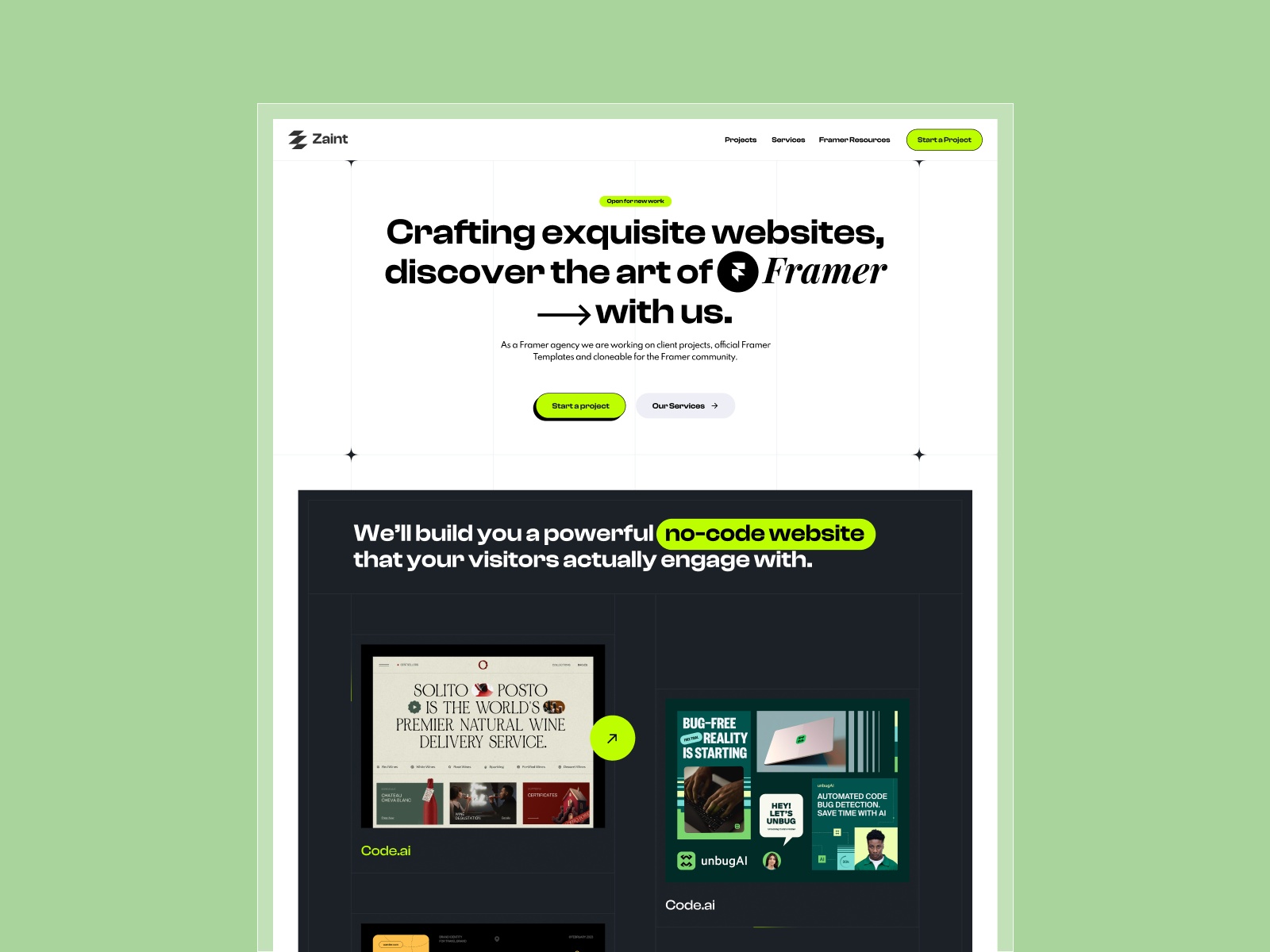
Zaint · Agency site with a dedicated FAQ page and CMS blog — ideal for template-level accordions.
by OneFramer
Zaint includes an explicit FAQ page in the sitemap alongside pricing, team, and blog CMS routes — a realistic map for testing Flow Effect on shared layout chrome without inventing a new information architecture.
- Best for
- Studios shipping service sites that need consistent FAQ motion across routes.
 Live Preview
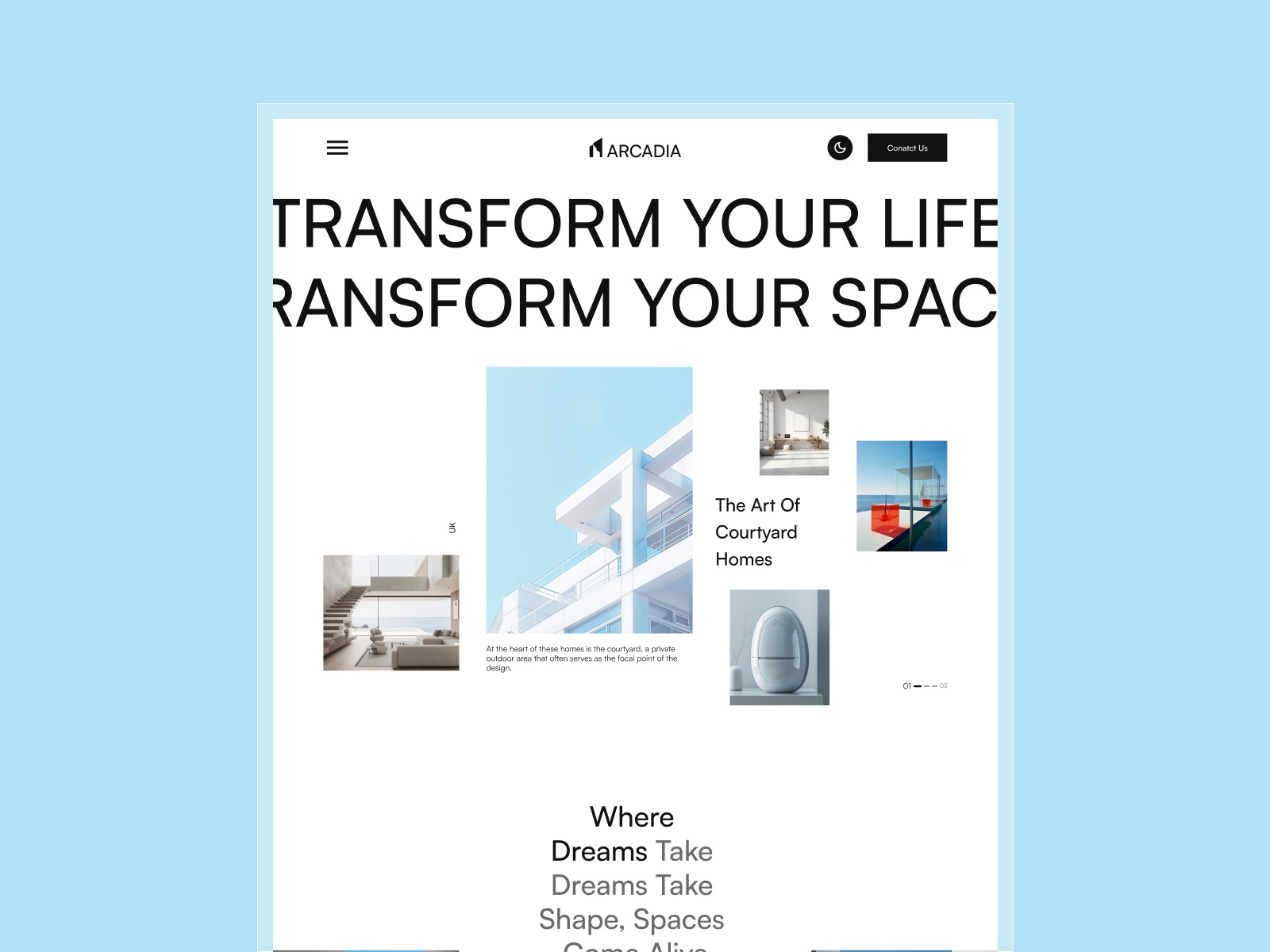
Arcadia · Property and projects layout with FAQ — good for section-heavy marketing templates.
by OneFramer
Arcadia’s page list balances Home, project surfaces, blog CMS, and FAQ — enough variety to confirm Flow-driven sections stay consistent when you jump between template-backed routes.
- Best for
- Teams that want multi-page structure and FAQ content in one remix file.
 Live Preview
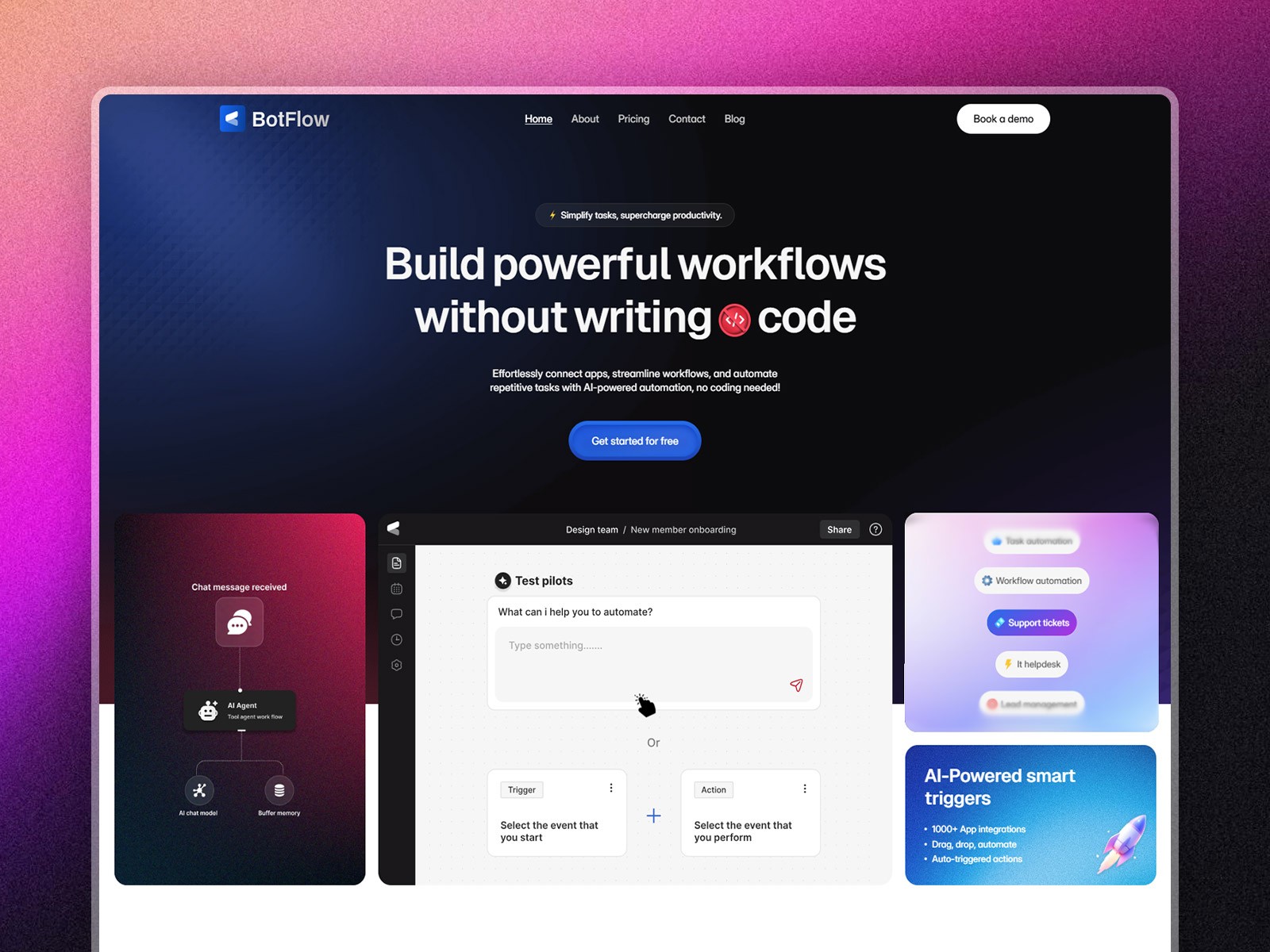
BotFlow · SaaS-style IA with FAQs, integrations CMS, and pricing — matches product marketing flows.
by Salim
Botflow pairs FAQs with integrations and blog collections — a strong fit for the February drop’s combination of Layout Template motion and CMS font previews on content-heavy launches.
- Best for
- AI and automation brands prototyping accordions plus CMS editorial workflows.
Official resources and internal links
- Framer February 2026 update — Flow Effect — canonical changelog for this release.
- All Framer updates — adjacent platform releases including Bento grids and Stack sorting and CMS 3.0.
- Browse Framer templates on yoframer — remix files to stress-test Layout Templates and FAQ patterns.
- Framer template roundups — curated lists when you need a faster starting point than search.
The bottom line
Flow Effect on Layout Templates is the story that saves duplication: configure interaction-driven sections once, let every page that shares the template inherit the same accordion or nav behavior, and spend QA time on Safari truncation and overlays Framer fixed in the same release. If your roadmap includes FAQ expansions, shared nav motion, or editorial font passes in CMS, open Framer, watch the walkthrough above, and remix a template from yoframer’s directory before you rebuild the pattern page by page.
Ready to try it in your own project? Start with Framer.