
TL;DR — Auto Translate extends Framer Localization so Canvas and CMS content stay aligned across locales when you ship. Enable it in locale settings, choose an AI model (or leave Auto), and let new or updated layers and CMS items propagate to every enabled language—or run Translate All / Translate Content when you want a human gate.
Framer announced Auto Translate on March 31, 2026. This yoframer guide lives at /framer-updates/framer-auto-translate-localization-update/ and translates Framer’s official post into decisions for agencies, founders, and content teams running multilingual marketing sites without a separate translation pipeline.
Auto translate at a glance
| Surface | What Framer added | Why it matters day to day |
|---|---|---|
| Canvas | Automatic translation when Auto Translate is on | Hero copy, nav, and components update across locales while you design |
| CMS | Same automatic pass for items like blog posts | Editorial teams publish once; locales catch up without re-keying rows |
| Locale settings | AI model picker plus Auto default | You can bias quality, latency, or cost without leaving Framer |
| Localization view | Translate All — whole project or selected locales | Controlled refresh after a big copy change or before launch |
| Precision tools | Translate Content on layers; page-level actions in the panel | Fix one headline or legal block without re-running everything |
What Auto Translate changes in Framer
1. Continuous sync instead of batch export anxiety
Before Auto Translate, multilingual Framer sites often stalled on a familiar loop: design in the default locale, duplicate mental models per language, or run periodic translation passes that fell behind the CMS. Framer’s pitch is continuous sync—edit on Canvas or in collections, and enabled locales receive updates immediately when Auto Translate is active. That is especially valuable for launch weeks when pricing, dates, and compliance copy change hourly.
2. AI controls live where locales already do
Model choice is not buried in a plugin marketplace dialog. Framer places AI controls in locale settings next to the switches teams already use for locales. You can pick a model or trust Auto if you prefer Framer to route requests. For teams with legal review requirements, read Framer’s translation model benchmarks post once—then document which model you standardize on internally.
3. Translate All for controlled bursts
Automatic passes are ideal for steady state; Translate All is the pressure valve when you merge a rebrand, add three locales at once, or recover from a content freeze. Framer lets you update all locales in the project or only a subset, which matters when marketing is ready in French but legal is still reviewing German.
4. Surgical layer and page translation
Not every string should ride the automatic train. Right-click → Translate Content on a layer, plus page-level translation from the panel, gives editors a scalpel. Use automatic mode for velocity; use manual actions for trademark lines, regulated claims, and tone-sensitive brand voice.
How Auto Translate fits with CMS 3.0
CMS 3.0 rewards teams that live in the table—inline edits, filters, bulk status changes. Auto Translate answers the question that faster editing surfaces: “We can update forty posts in an afternoon—who translates them?”
Pair the two releases deliberately:
- Use CMS 3.0 to filter Published rows or a launch slice.
- Turn on Auto Translate so older backlog locales catch up without opening forty overlays.
- Use Translate Content on the handful of rows that need human polish.
Our Framer CMS 3.0 deep dive walks the table workflow; this article covers the locale side of the same pipeline.
Enable Auto Translate in five minutes
- Open a Framer project that already has at least two locales configured (or add them under Localization).
- Open locale settings and locate Auto Translate plus the AI model controls Framer documents.
- Choose Auto or a named model based on your quality bar; skim Framer’s model benchmarks article if stakeholders ask why.
- Enable Auto Translate, then change one headline on Canvas in the default locale—confirm sibling locales update.
- Edit one CMS blog row, save, and confirm translated fields follow without a separate export.
If anything fails silently, run Translate All on a single secondary locale first to isolate configuration issues before you blame the model.
Three workflow recipes to try this week
Launch-week locale rollout
You are shipping a product site in English with French and German following within 48 hours.
- Lock default-locale Canvas copy first—nav, hero, pricing footnotes.
- Enable Auto Translate and add FR and DE locales in locale settings.
- Publish CMS pricing and FAQ rows; let automatic CMS passes populate secondary locales.
- Right-click only the trademark line and run Translate Content manually if Auto drifts.
Controlled Translate All for legal
Marketing refreshed the privacy summary on twelve pages; legal must approve DE before ES goes live.
- Disable or pause broad automatic runs if your team uses a staging locale workflow.
- Run Translate All for **German only** after marketing signs off the English source.
- Send the Localization table link to counsel; merge approved strings before enabling Spanish.
CMS blog backlog after CMS 3.0
You filtered to Published in CMS 3.0 and still have sixty posts missing secondary locales.
- Sort by Updated; bulk-touch the twenty most recent rows so editors know what changed.
- Enable Auto Translate and let automatic CMS passes fill historical posts.
- Filter untranslated or draft locale fields; manually fix only outliers with bad idioms.
Keyboard and panel shortcuts worth knowing
Framer’s Localization work spans locale settings, the Localization view, and Canvas context menus. Exact shortcuts may evolve—treat this table as the mental model at launch:
| Goal | Where to work | Practical path |
|---|---|---|
| Toggle automatic sync | Locale settings | Enable Auto Translate after model choice |
| Refresh everything | Localization view | Translate All (all locales or subset) |
| Fix one string | Canvas | Layer right-click → Translate Content |
| Fix one route | Pages panel | Page-level translate action Framer documents |
| Audit CMS gaps | CMS table + Localization | Filter in CMS 3.0, then spot-check locale columns |
Who benefits most from Auto Translate
- SaaS and AI startups shipping localized marketing sites without a dedicated localization vendor yet.
- Agencies handing Framer CMS keys to clients who will never run Phrase or Lokalise.
- Content teams publishing blogs and changelogs weekly across multiple locales.
- E-commerce and compliance-heavy brands that need manual gates but still want automatic first passes.
- Solo founders who would otherwise postpone non-English locales indefinitely.
If your team has ever said “we’ll translate after launch” and still had empty /de pages three months later, Auto Translate is the feature aimed at that failure mode.
Framer templates for multilingual sites
These picks from the yoframer template directory give you CMS rows or localization-friendly structure so Auto Translate has real content to exercise—not lorem ipsum on a single page.
 Live Preview
Dreelio · Free product site with localization support
by Leonardo Chike
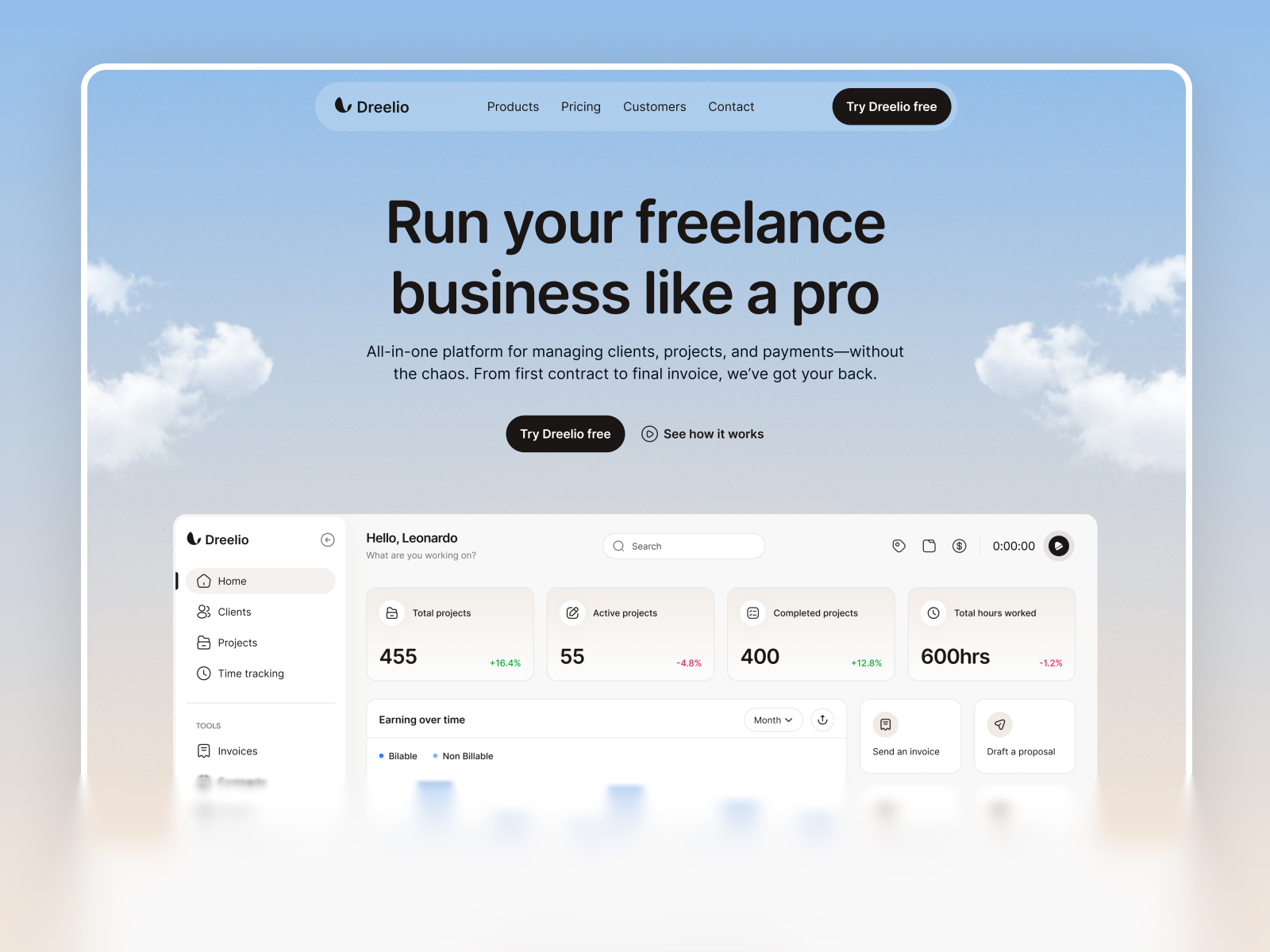
Dreelio is a rare free file that already calls out localization in its feature set—useful when you want to test locale selectors, secondary routes, and Auto Translate on a polished product story instead of a blank project.
- Best for
- Founders who want a credible multilingual marketing base without a paid template
 Live Preview
Revior · CMS blog plus SaaS marketing pages
by OneFramer
Revior pairs a CMS-powered blog with a tight marketing route map. Turn on Auto Translate, edit a post in the default locale, and confirm secondary locales in the Localization table without inventing collections first.
- Best for
- Teams validating Auto Translate on real blog rows inside a five-page SaaS layout
 Live Preview
Bizent · Multi-collection corporate site
by OneFramer
Bizent ships projects, services, team, and blog collections—closer to the multilingual corporate sites where Translate All and CMS automatic passes actually earn their keep.
- Best for
- Agencies stress-testing CMS plus Localization on messy, multi-collection projects
Want more CMS-first starting points? Browse best free SaaS Framer templates in 2026 or the full template directory.
Official Framer resources worth bookmarking
- Framer Auto Translate release notes — canonical feature description for this drop.
- How Framer picks translation models — benchmark context behind the AI controls.
- Framer Localization in Academy — evergreen how-tos beyond this single release.
- Framer CMS 3.0 release notes — table workflow that pairs with automatic CMS translation.
- All Framer updates — adjacent platform releases.
- Framer pricing — plan matrix for locales and publishing scale.
More reading on yoframer
- Framer updates hub — all editorial release write-ups.
- Framer CMS 3.0 deep dive — inline editing, folders, and bulk actions.
- Framer CMS Plugins — sidebar plugins and overlay polish after CMS 3.0.
- Submit a template or tool — if you ship a localization-focused Framer resource, tell us.
The bottom line
Auto Translate closes the gap between fast Framer editing and slow translation backlogs. With locale-level AI controls, automatic Canvas and CMS sync, and Translate All plus layer-level overrides, teams can ship multilingual sites at the same cadence as single-locale launches—then reserve human review for the strings that actually need it.
If you manage more than one locale today, block thirty minutes on a staging project: enable Auto Translate, run one controlled Translate All, and document which model your studio standardizes on.